
Home » Login
Login to TKOK: Fast, Safe Access for Mobile Players
Sign in securely and get back to betting and gaming within seconds
Use TKOK login to access your account fast on mobile or desktop. Live cricket odds, JILI slots, and classic tables load in a snap. Two-factor authentication protects your balance. Support is ready if you need help.
Prefer verified access? Bookmark the TKOK Official Link to avoid copycat pages. Check the padlock in your browser address bar. On the TKOK app, updates keep sign-in fast and stable.

Six practical benefits you get the moment you sign in to TKOK
Faster mobile access with your trusted device
Save your device for quick entry. Your last session settings load instantly, so you reach bets and games in fewer taps.
Personalized cricket markets and JILI game picks
Your favorite cricket leagues and JILI titles appear first. Less searching, more playing. Live stats and odds update in real time.
Exclusive member-only promos and daily check-ins
Logged-in members see streak rewards, reloads, and mission bonuses. Opt in, track progress, and redeem without delays.
Stronger control over security settings
Update passwords, enable 2FA, and manage trusted devices. Review login history and sign out from devices you do not use.
Faster, informed support when you need help
Chat can view your account context securely and help you quicker. No long explanations. Get focused fixes for sign-in issues.
Profile details ready for future withdrawals
Keep your profile verified so your name matches your payment account. This reduces checks later and helps payouts move faster.
Open the Login Page
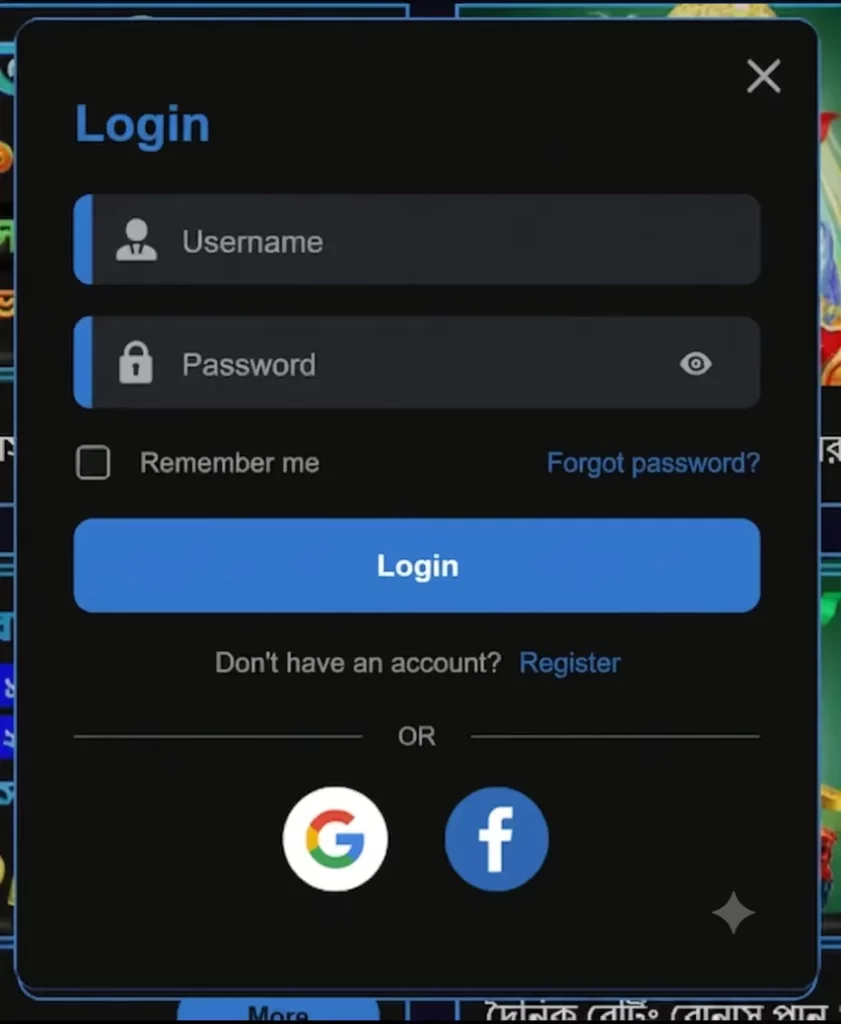
Enter Your Credentials
Verify & Log In
Start Playing
Simple steps to log in fast on mobile browsers, app, or desktop
- Visit the TKOK official site in your browser or open the TKOK app.
- Tap the Sign In button on the top bar or menu.
- Enter your username or registered mobile number.
- Type your password carefully, then tap Eye icon to confirm.
- Complete the OTP sent by SMS or email if prompted.
- Tap Login. If asked, mark this device as trusted for faster access.
- If you forgot your password, choose Forgot Password and follow the reset steps.
- Still stuck? Contact Live Chat from the help icon for real-time assistance.
Stay safe and avoid errors with these smart sign in practices
Protect your account and sign in with confidence using the tips below.
- Turn on two-factor authentication (2FA) in Security Settings.
- Create a strong password with letters, numbers, and symbols. Do not reuse it.
- Avoid public Wi‑Fi for sign-ins. Use mobile data or a trusted network.
- Keep the TKOK app and your browser updated to the latest version.
- Double-check the site address and SSL padlock before entering details.
- Never share OTP codes with anyone, including “support” on social apps.
- On shared devices, skip Remember Me and always log out after use.
For quicker access on Android, manage updates through TKOK Download and keep auto-updates turned on.
Daily login streak rewards and bonus perks for active TKOK members
Check in daily after sign-in to build streak points and unlock extras like JILI free spins or sports bet boosts. New members can review the TKOK welcome offer once verification is done and terms are accepted.
All promo details appear in your Promotions tab, including wagering rules and end dates. Set alerts so you never miss a cricket price boost before a big match.
Answers to common TKOK sign in and account access questions
How do I reset my TKOK password quickly?
Tap Forgot Password on the sign-in screen, enter your username or mobile number, and choose SMS or email. Follow the link or OTP to set a new password.
Can I access my TKOK account on both app and browser?
Yes. You can sign in on the TKOK app or any supported browser. For best results, use one active session at a time and keep software updated.
How do I stay signed in without risking security?
Use Remember Me only on your personal device, enable 2FA, and lock your phone with a PIN or biometrics. Avoid public networks when possible.
Why am I asked to verify after I sign in?
Security checks protect your funds. Update your profile and upload valid ID. Ensure the name on your profile matches the name used for payments.
Is live chat available if I cannot sign in?
Yes. Open the help icon for 24/7 chat. Share your registered email or mobile number and a brief description of the error to speed up support.
Ready to sign in and play? Access your account in seconds
Sign in now to place cricket bets, spin JILI favorites, and track your bonuses. Turn on notifications to catch price boosts and time-limited missions.
New here? Create your account via TKOK Register, then sign in to access TKOK account tools, manage security, and start playing with confidence.